
 Home
 Partners
 Clients
 Career
 Blogs
 Case Studies
 Contact Us
WhatsApp Business Integration for Odoo
Full WhatsApp Business integration module for Odoo via Meta Cloud API - manage templates, send messages, sync contacts, and track conversations from within Odoo.
Module Components
Eight core components that power the WhatsApp Business integration module inside Odoo.
WABA Account Setup
Configure WhatsApp Business Account with App ID, App Secret, Phone Number ID, Access Token, and Webhook Verify Token - all from a single form.
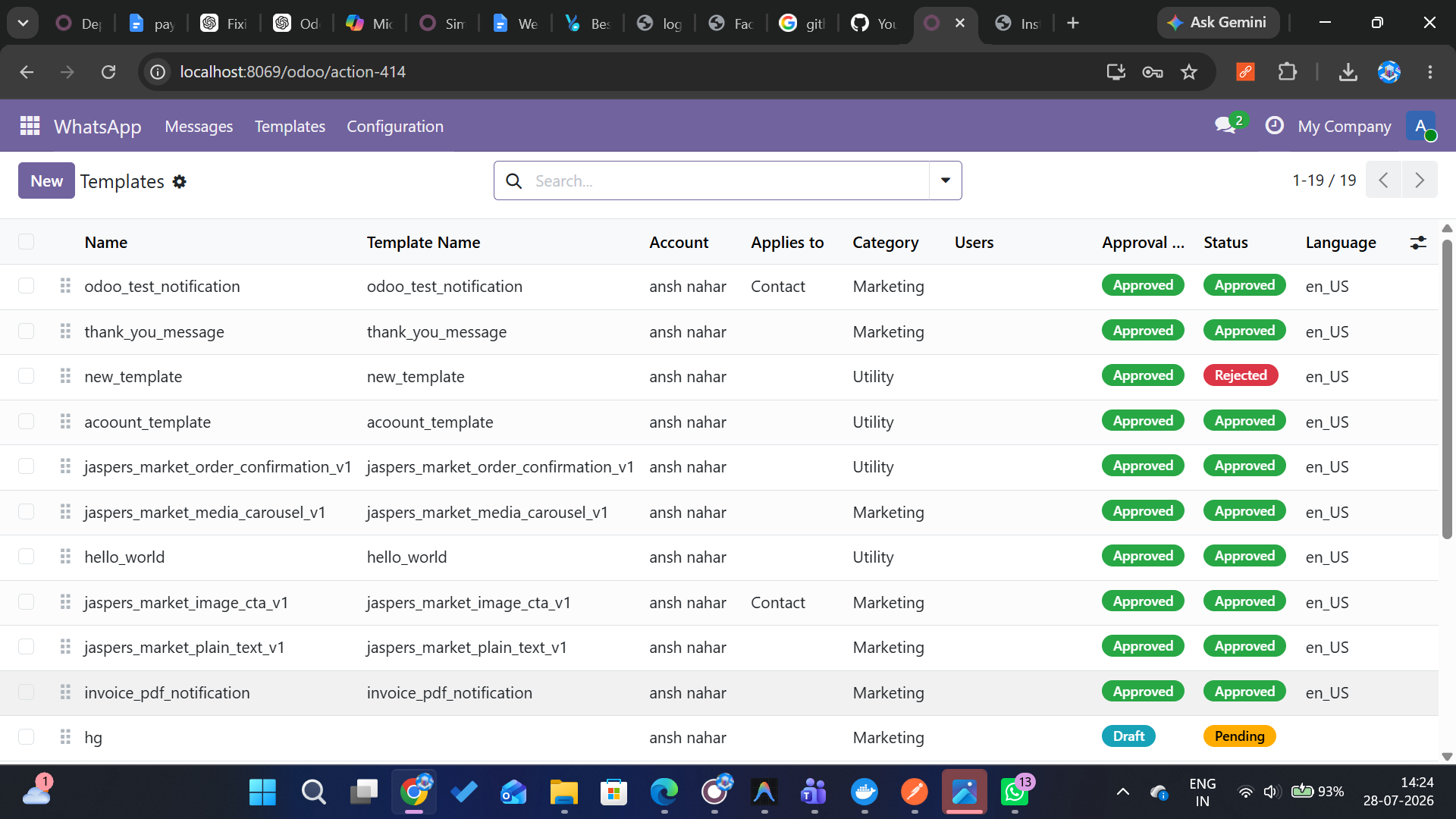
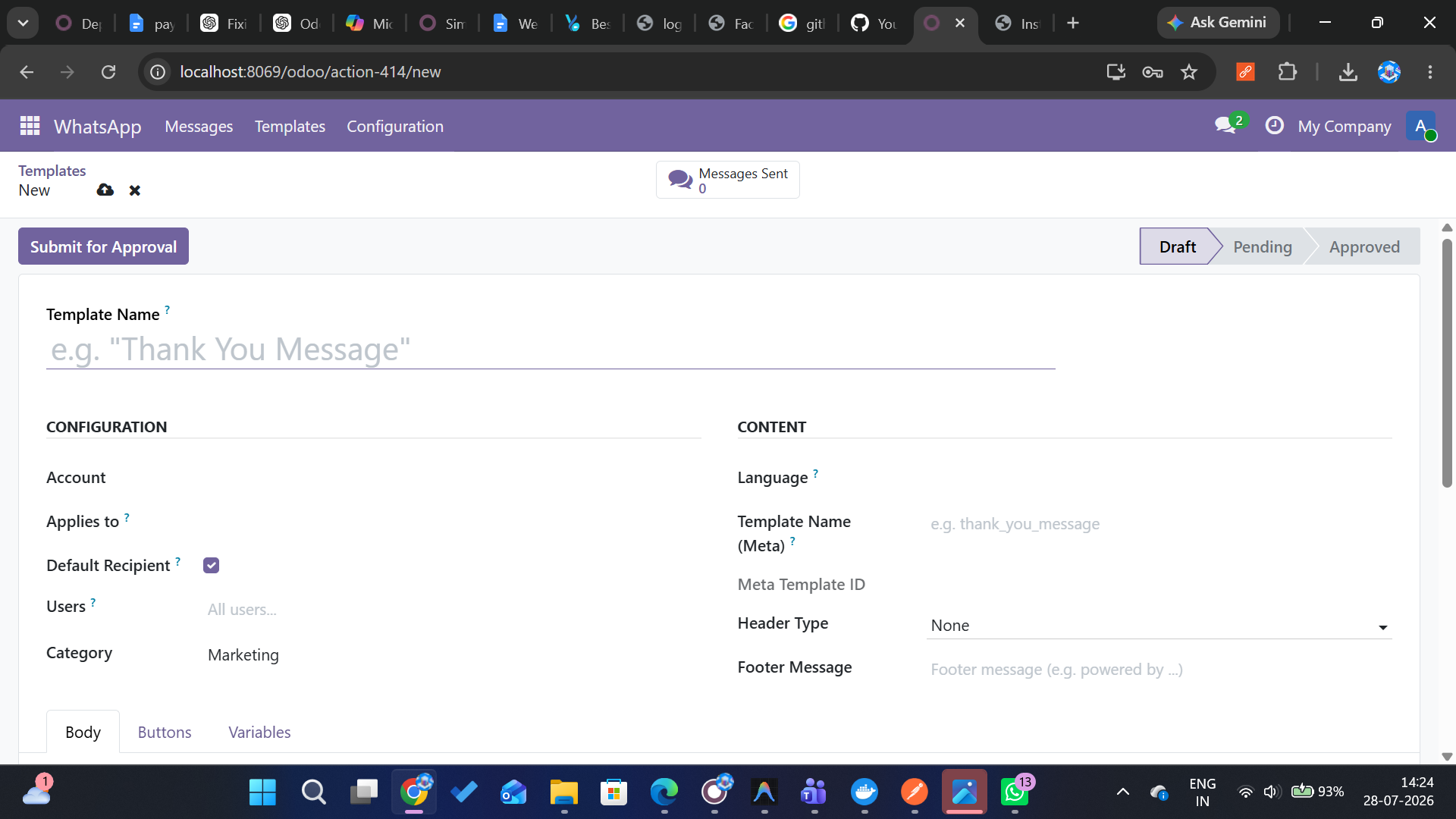
Message Templates
Create and manage message templates with header, body, footer, and buttons. Supports text, image, video, and document headers with variable placeholders.
Template Sync (Meta → Odoo)
Bidirectional template synchronization. Pull templates from Meta and push templates for approval. Handles sample templates, duplicates, and edge cases.
Send Messages via Chatter
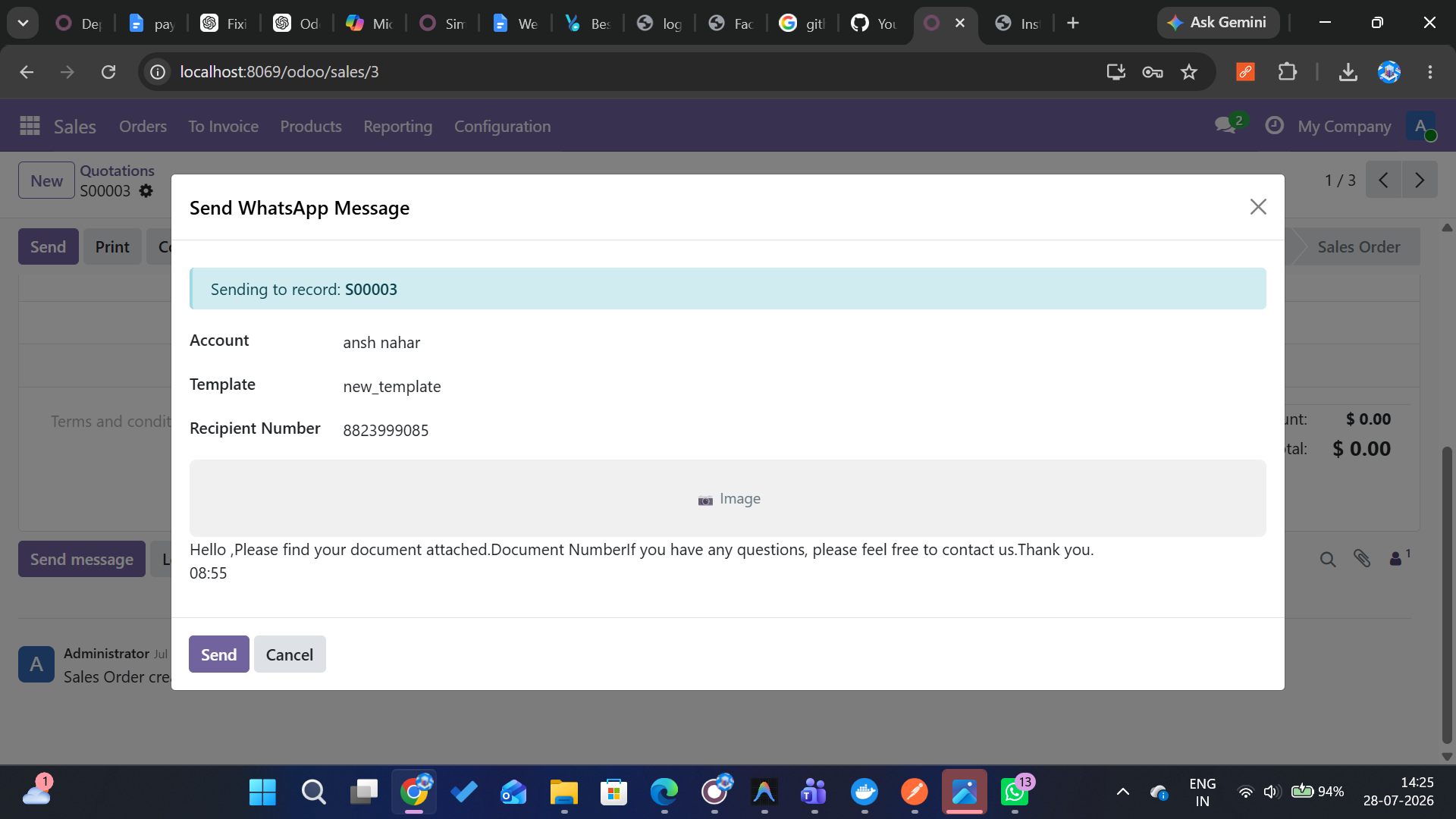
Send WhatsApp messages directly from any Odoo record via the Chatter. Auto-select account, filter approved templates, and fill parameters from model fields.
Incoming Webhook
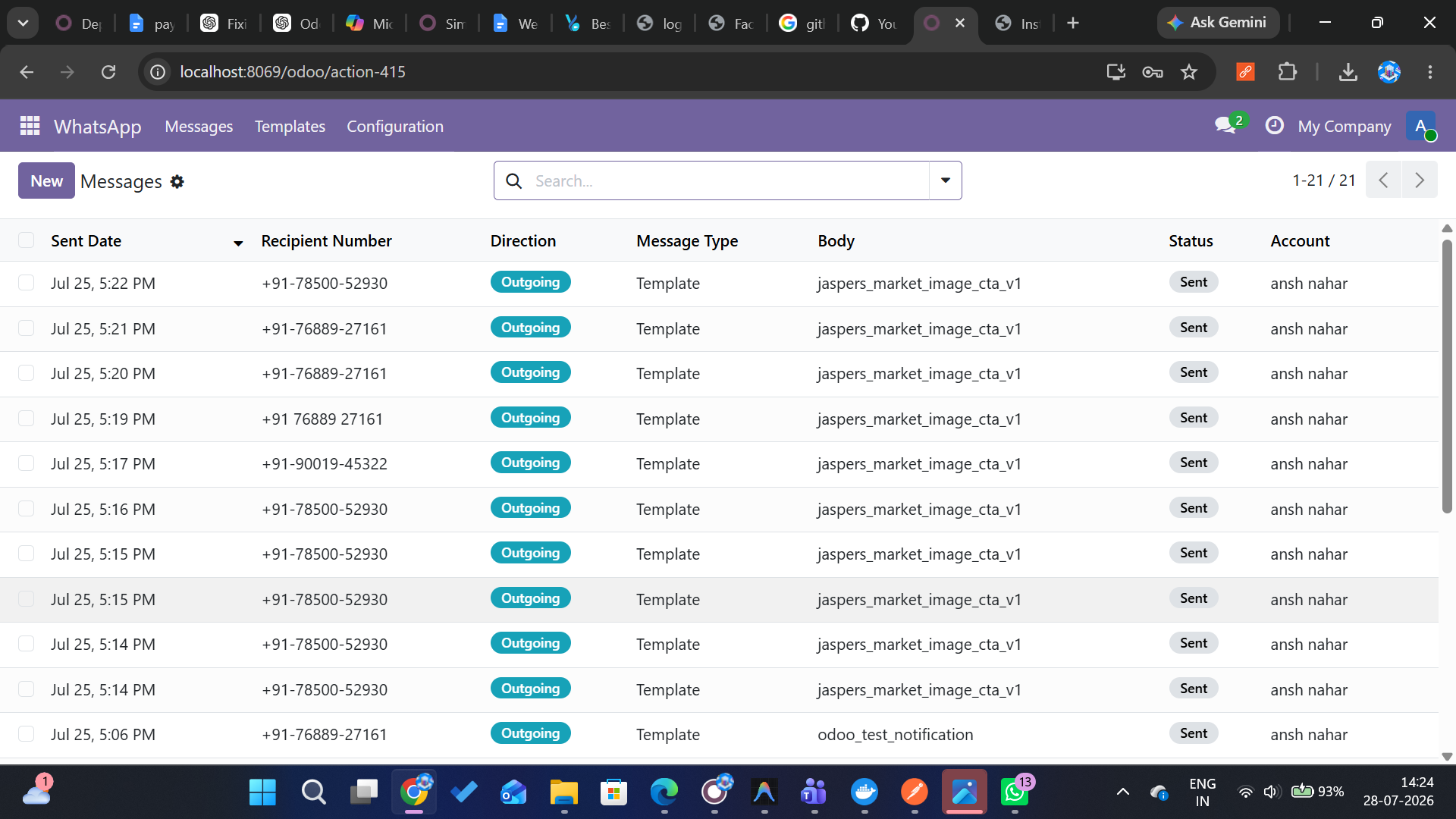
Receive incoming messages and status updates via Meta webhook. Auto-create partners, log message history, and notify assigned users via mail activity.
Contact Management
Link res.partner records to WhatsApp numbers. Track last contact date and maintain a searchable history of all conversations with each contact.
Media Upload (2-Step)
Upload header media via Meta's 2-step upload process - create upload session, then upload raw file data. Supports images, videos, and documents.
Security & Access Control
Role-based access with system group restrictions for account config. Templates can be restricted to specific users. Webhook endpoint uses public auth.
Watch the Demo
See how WhatsApp Business Integration works inside Odoo - fully automated.
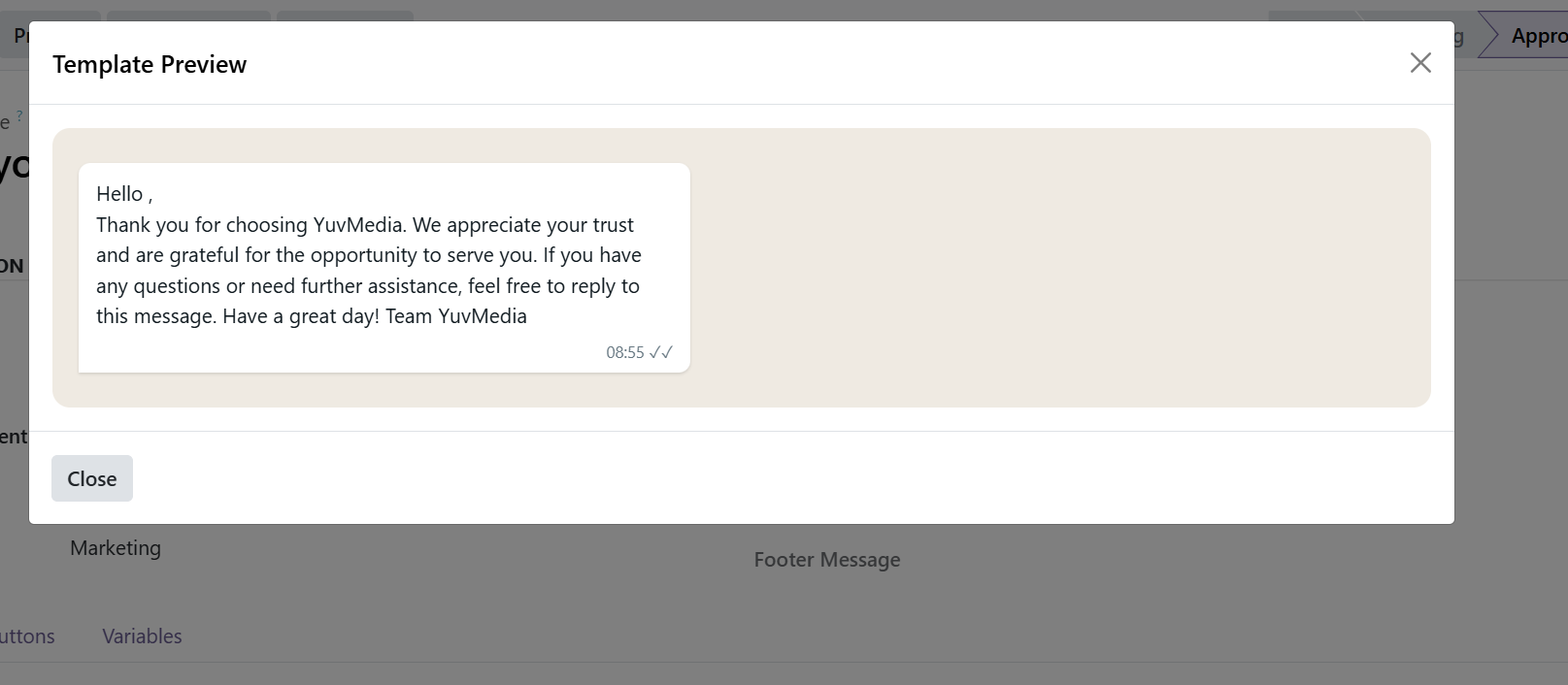
Module Screenshots
A glimpse of the WhatsApp Business Integration interface inside Odoo.

How It Works
Get from account setup to sending messages in four simple steps.
Setup Account
Configure your WhatsApp Business Account with Meta App credentials, phone number ID, and access token. Set up webhook verification for incoming messages.
Create Templates
Design message templates with headers, body, footer, and interactive buttons. Add variable placeholders and submit for Meta approval.
Send Messages
Open any Odoo record, click the WhatsApp button in Chatter, select an approved template, fill parameters, and send. Messages are logged automatically.
Track & Receive
Monitor delivery status, read receipts, and failures. Incoming messages auto-create contacts and notify your team - all inside Odoo.
Ready to Integrate WhatsApp Business with Odoo?
Join 500+ businesses already sending messages via WhatsApp from within Odoo.
Book a Free Call