
 Home
 Partners
 Clients
 Career
 Blogs
 Case Studies
 Contact Us
WhatsApp Connector for Shopify
Automatically send WhatsApp notifications to customers whenever their Shopify order status changes - powered by the Meta WhatsApp Business Cloud API.
Key Features
Everything you need to automate WhatsApp notifications for your Shopify store.
Automated Order Notifications
Sends WhatsApp messages automatically when a Shopify order event occurs - created, fulfilled, cancelled, or refunded - via Shopify webhooks.
Template-Based Messaging
Uses Meta-approved WhatsApp message templates (without headers or with text-only headers) with variable placeholders mapped to order data like customer name, order ID, total price, and phone number. Templates with image, video, or document headers are not supported for sending.
Template Syncing
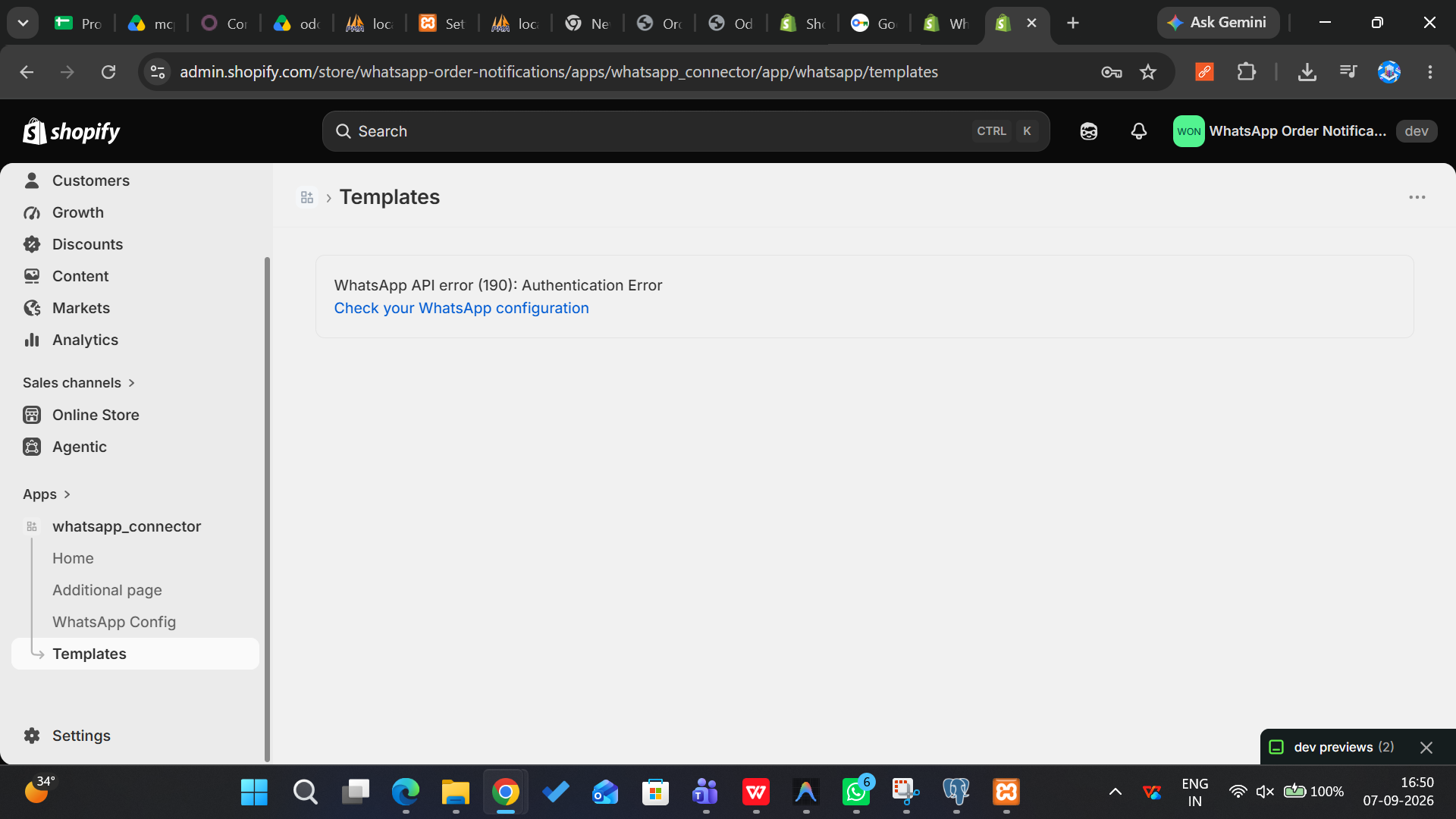
Pulls templates directly from your Meta WhatsApp Business Account via the Graph API, displaying status, category, language, and component details in the admin.
Trigger Configuration
Map each Shopify order event (created, fulfilled, cancelled, refunded) to a specific WhatsApp template with custom variable mappings per trigger.
Template Preview
Renders live previews of synced templates in the Shopify admin with variables highlighted, showing template name, language, category, and approval status.
Test Message Sending
Send a test hello_world template message to any phone number directly from the Settings page to verify API connectivity before going live.
Shopify Webhook Integration
Handles orders/create, orders/fulfilled, orders/cancelled, and refunds/create webhooks automatically. Webhook subscriptions are managed via shopify.app.toml.
Connector Authentication
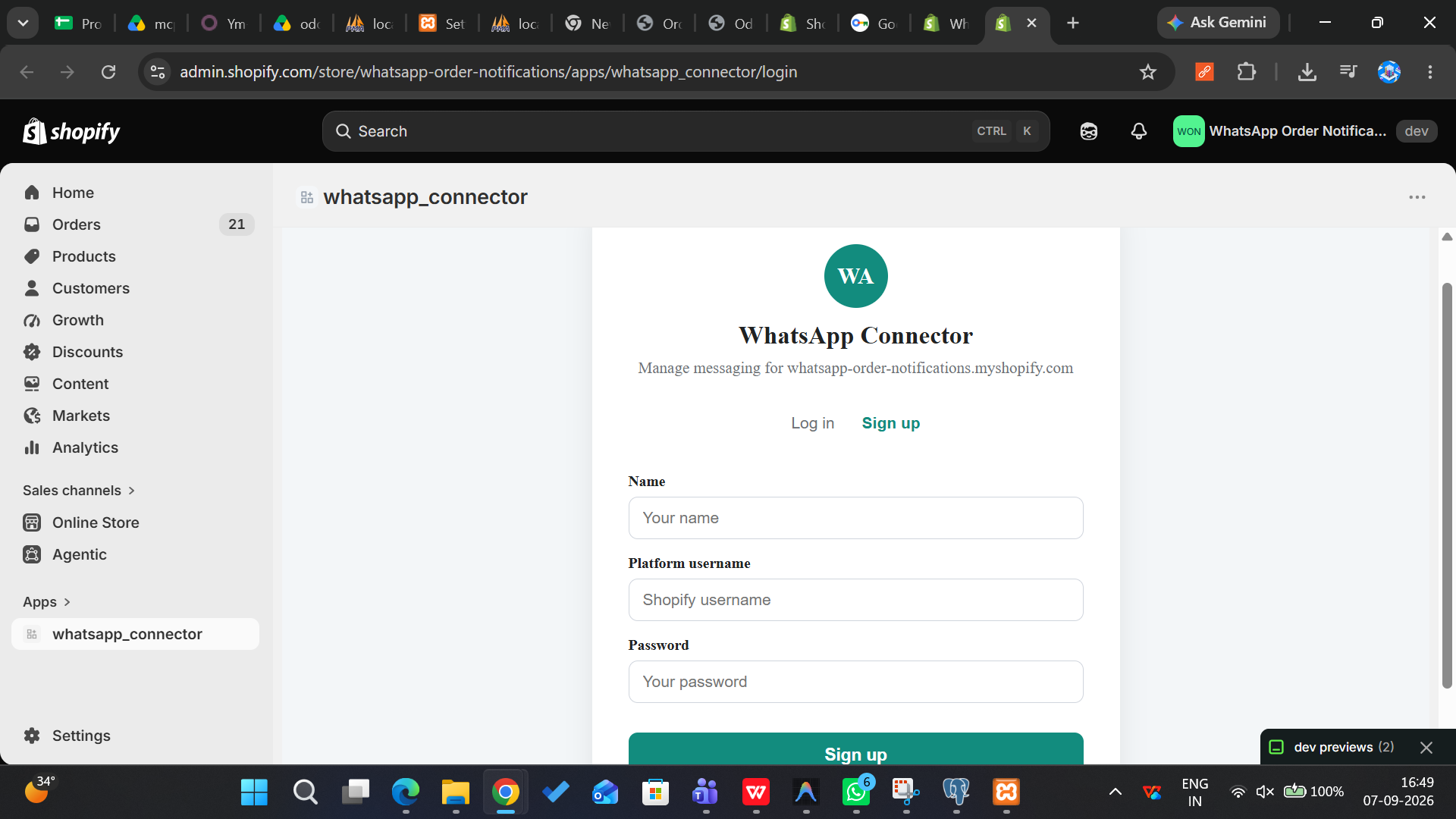
Secure login/signup flow via an external connector API with httpOnly session cookies (7-day expiry, SameSite=None, Secure) and Shopify OAuth integration.
Meta Webhook Handling
Receives and processes Meta WhatsApp delivery status updates and inbound messages via a dedicated webhook endpoint with X-Hub-Signature-256 verification.
Watch the Demo
See how WhatsApp Connector works inside Shopify - fully automated.
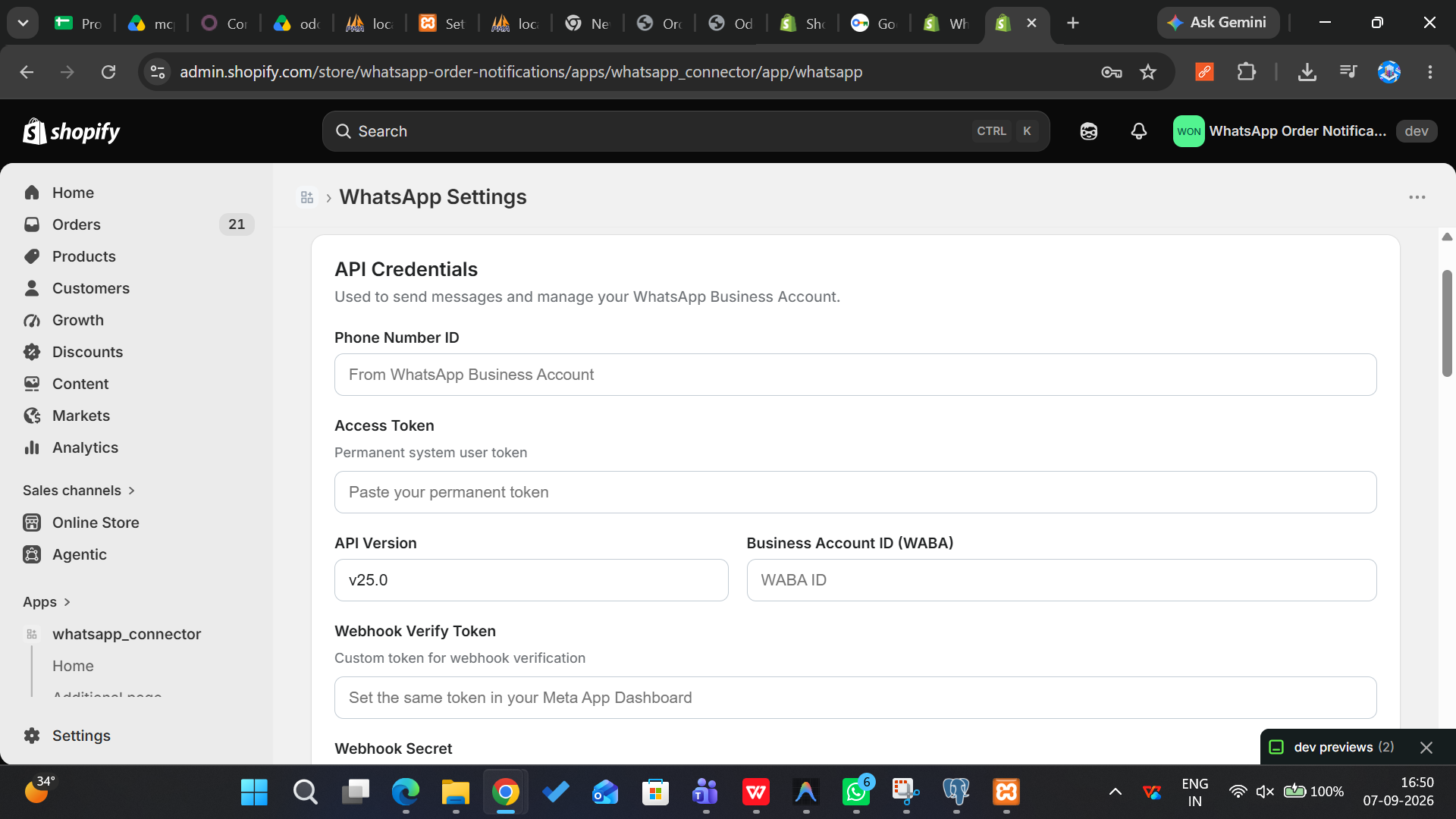
App Screenshots
A glimpse of the WhatsApp Connector interface inside Shopify admin.
How It Works
Get from installation to automated notifications in four simple steps.
Install & Connect
Install the WhatsApp Connector app from the Shopify App Store. Log in with your connector credentials and connect your store.
Configure API
Enter your Meta WhatsApp Cloud API credentials - Phone Number ID, Access Token, WABA ID, and Webhook Verify Token. Use the Test Connection button to verify.
Set Up Triggers
Map each Shopify order event (created, fulfilled, cancelled, refunded) to a WhatsApp template. Sync templates from your WABA and configure variable mappings.
Auto-Send Messages
When a customer's order status changes, Shopify fires a webhook and the app automatically sends the mapped WhatsApp template. Track delivery status in real time.
Built with Modern Technology
A robust, scalable stack designed for reliability and performance.
React Router v7
Built on React 18 with server and client rendering using React Router v7 for fast, seamless navigation.
TypeScript 5.9
Full TypeScript codebase for type safety, better developer experience, and fewer runtime errors.
Prisma + SQLite
Database layer powered by Prisma ORM with SQLite for development, easily swappable to PostgreSQL for production.
Shopify App Bridge
Native Shopify admin integration using App Bridge React and Polaris web components for a consistent merchant experience.
Docker + Render
Containerized deployment with Docker (node:20-alpine) and hosted on Render for easy scaling and management.
Vite 6
Lightning-fast development server and optimized production builds powered by Vite.
Ready to Automate WhatsApp Notifications for Shopify?
Join 50+ stores already sending automated order updates via WhatsApp.
Book a Free Call