
 Home
 Partners
 Clients
 Career
 Blogs
 Case Studies
 Contact Us
Order WhatsApp Notifications for WooCommerce
Automatically send WhatsApp notifications to customers whenever their WooCommerce order status changes - powered by the Meta WhatsApp Cloud API.
Key Features
Everything you need to automate WhatsApp notifications for your WooCommerce store.
Order Status Notifications
Automatically sends WhatsApp messages when a WooCommerce order status changes - pending, processing, shipped, completed, cancelled, refunded, and more.
Template-Based Messaging
Uses Meta-approved WhatsApp message templates with named or positional parameter placeholders filled with real order data like customer name, order ID, and amount.
Template Syncing
Pulls templates directly from your Meta WhatsApp Business Account via the Graph API and caches them locally for instant access in the admin panel.
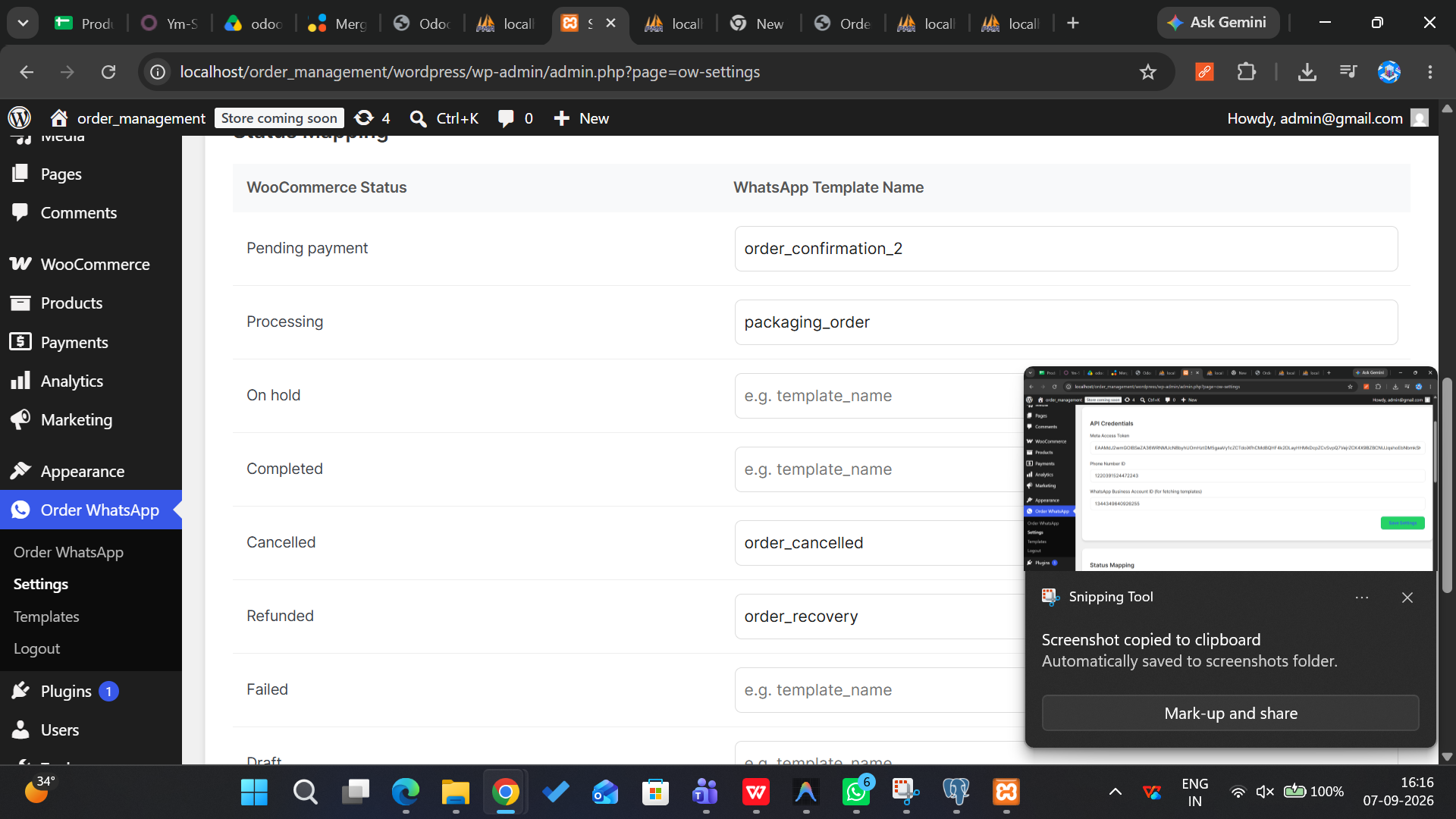
Status Mapping
Map each WooCommerce order status to a specific WhatsApp template, allowing custom messages per status. Leave blank to disable notifications for any status.
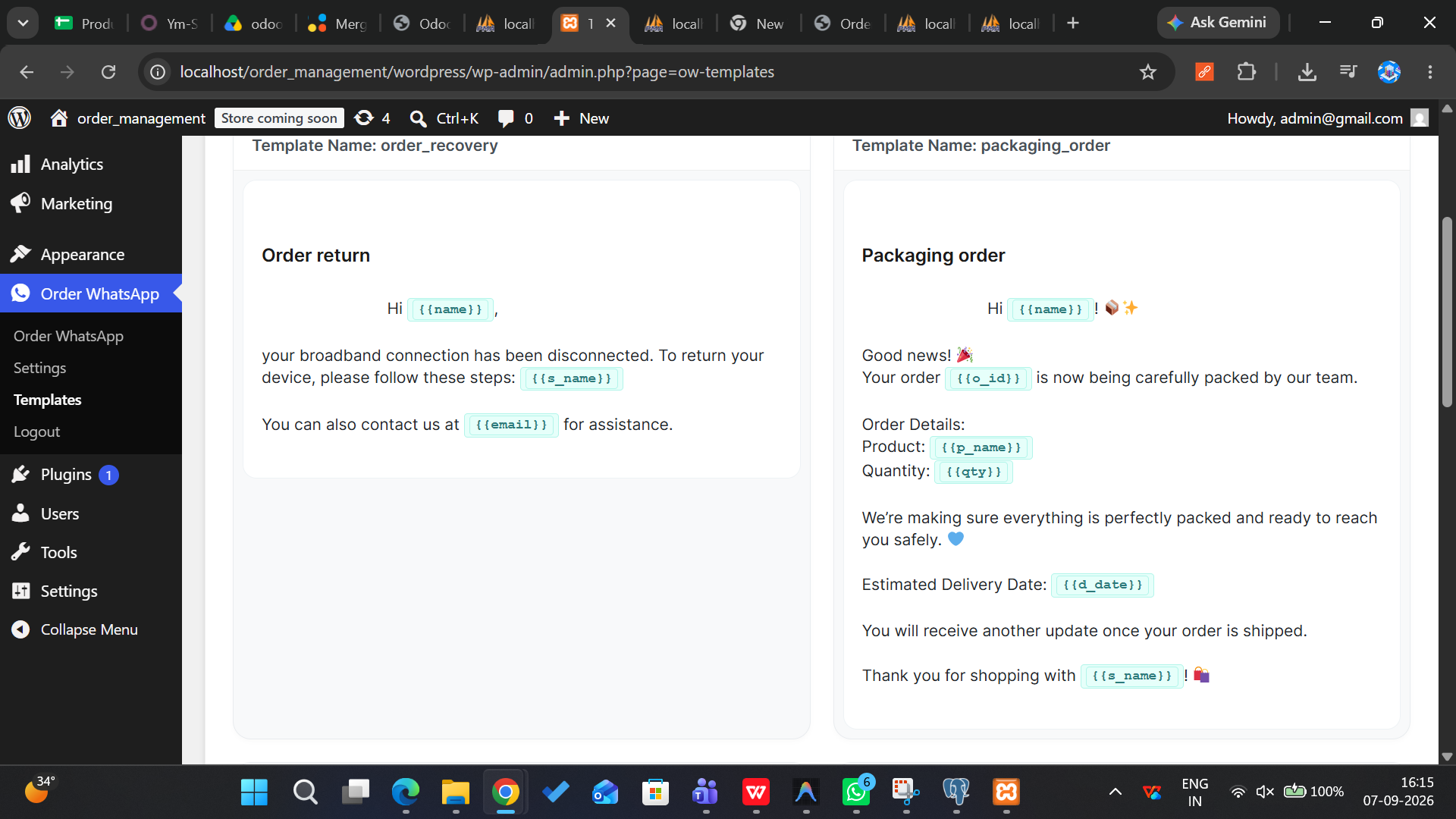
Template Preview
Renders live previews of synced templates in the WordPress admin with variables highlighted, showing template name, language, category, and status at a glance.
Test Message Sending
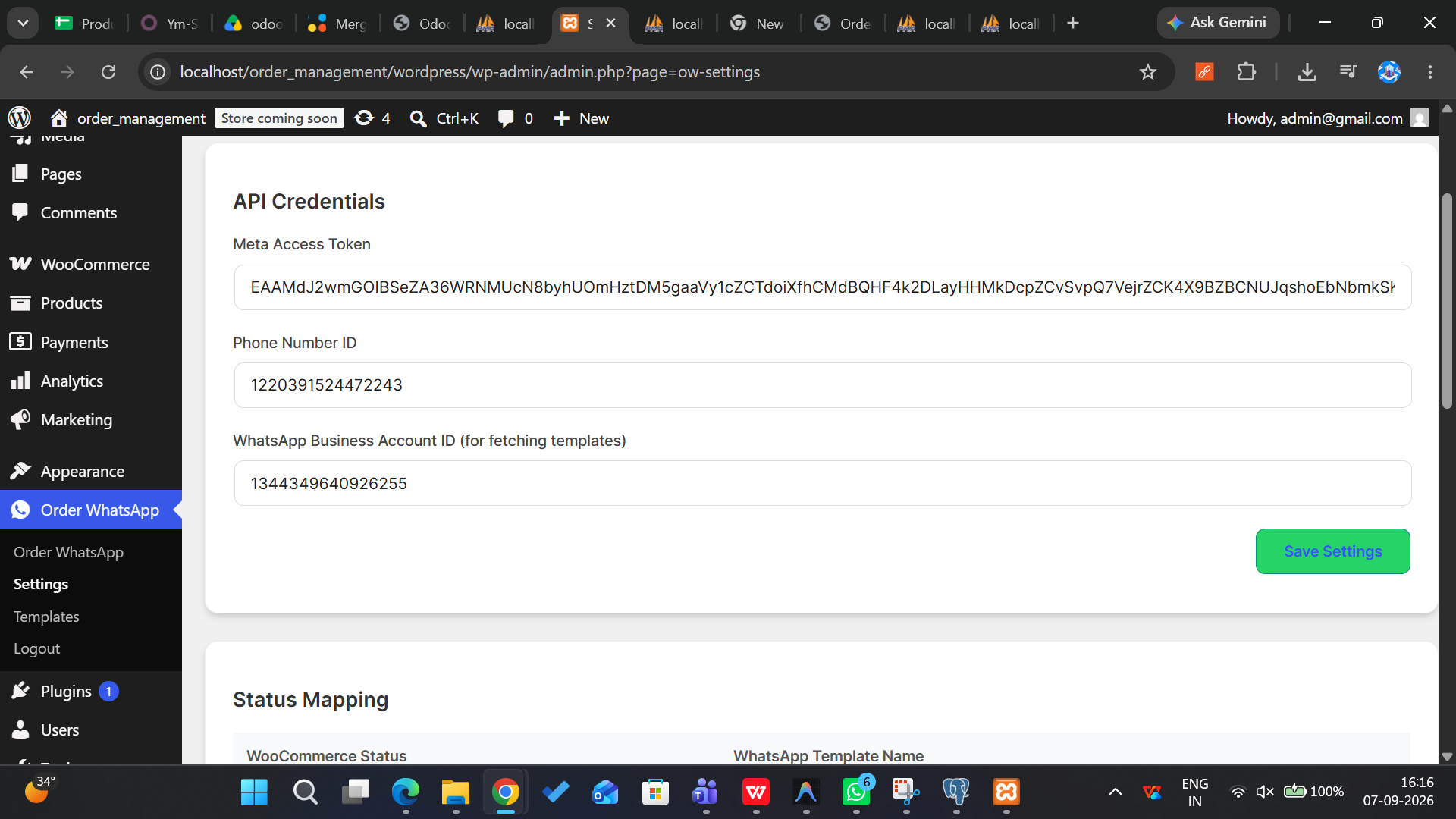
Send a test hello_world template message to any phone number directly from the Settings page to verify API connectivity before going live.
Admin Dashboard
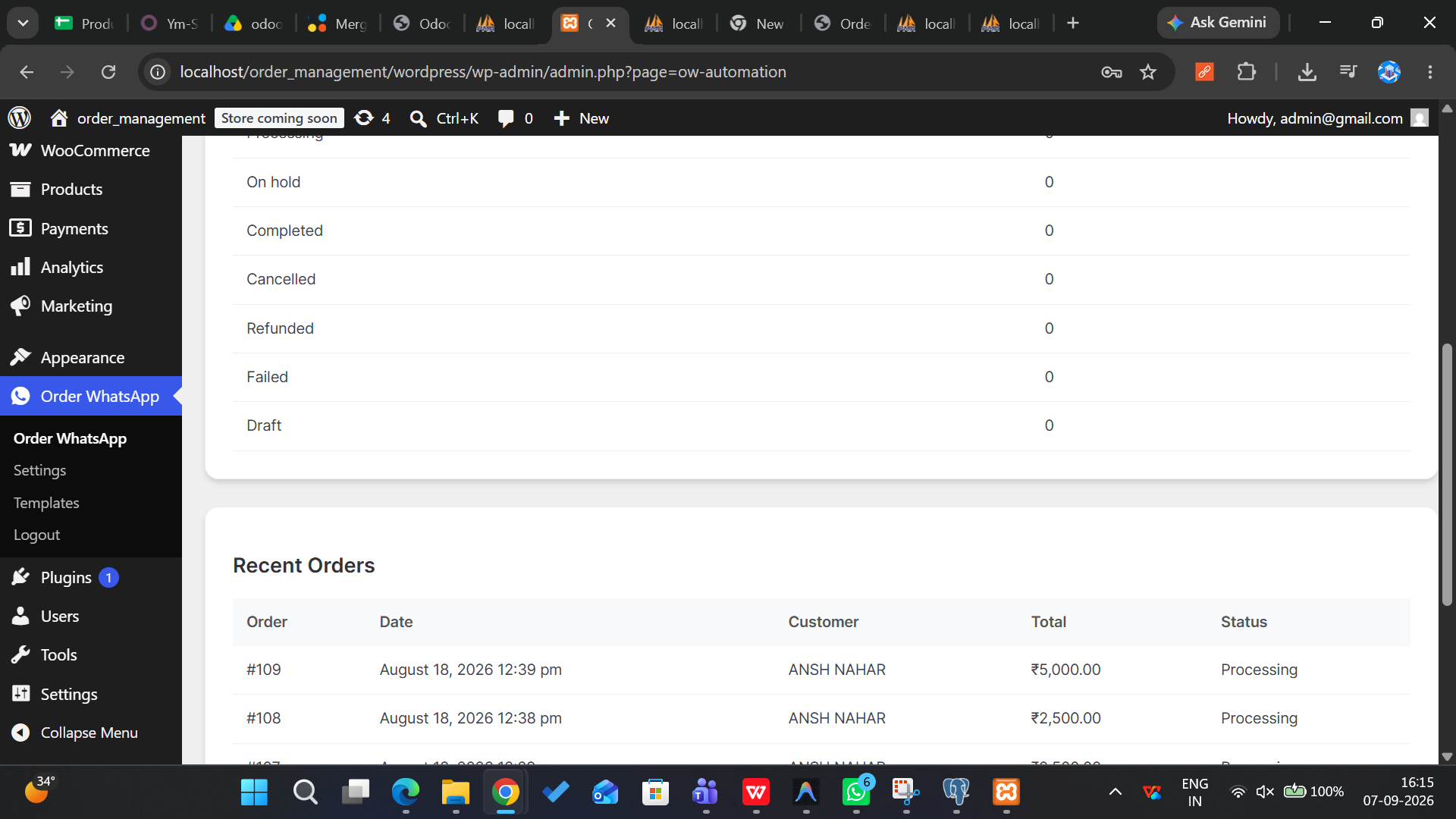
View total messages sent, total orders, open orders, orders by status breakdown, and the 10 most recent orders - all from a single dashboard.
ERP Authentication
Custom login and registration system that authenticates against an external ERP connector API with AES-256-CBC encrypted cookie storage and dual session verification.
Watch the Demo
See how Order WhatsApp Notifications works inside WooCommerce - fully automated.
Plugin Screenshots
A glimpse of the Order WhatsApp Notifications interface inside WordPress admin.
How It Works
Get from installation to automated notifications in four simple steps.
Install & Activate
Install the plugin into your WordPress site and activate it. Ensure WooCommerce is installed and active. Navigate to Order WhatsApp > Settings.
Configure API
Enter your Meta WhatsApp Cloud API credentials - Access Token, Phone Number ID, and Business Account ID. Use the Test Integration button to verify connectivity.
Map Statuses
Map each WooCommerce order status to a specific WhatsApp template. Sync templates from your Meta account and customize which messages go out for each status.
Auto-Send Messages
When a customer's order status changes, the plugin automatically sends the mapped WhatsApp template message. Track everything from the admin dashboard.
Ready to Automate WhatsApp Notifications for WooCommerce?
Join 50+ stores already sending automated order updates via WhatsApp.
Book a Free Call